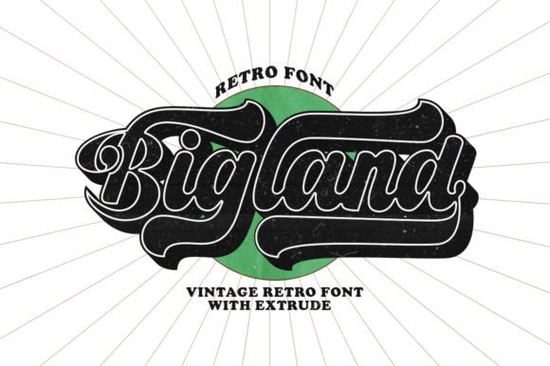
If you're working on a design that needs bold personality with a nostalgic twist, Bigland Retro Font might be exactly what you’re looking for. This urban retro typeface mimics the hand-lettered logotype style often seen in mid-century signage and vintage packaging but with modern usability built right in. Whether you’re designing t-shirts, posters, branding materials, or craft projects, Bigland Retro brings a confident, eye-catching presence without overwhelming your layout.
One of its standout features is that it’s PUA (Private Use Area) encoded. That means all the extra glyphs, swashes, and alternate characters are accessible directly through your design software no hunting through character maps or installing multiple font files. Just select the font, and the stylistic options appear naturally as you type or via OpenType features.
What kinds of projects work best with Bigland Retro?
Because of its strong silhouette and condensed letterforms, Bigland Retro shines in display settings think headlines, logos, product labels, and social media banners. It’s especially popular among:
- Print-on-demand sellers creating retro-inspired apparel or mugs
- Small business owners building a brand identity with vintage flair
- Crafters making custom signs, stickers, or greeting cards
- Graphic designers looking for a distinctive yet versatile display font
It pairs well with clean sans-serifs for body text or minimalist layouts where the headline carries the visual weight. Avoid using it in long paragraphs it’s meant to grab attention, not disappear into the background.
How does it compare to other retro display fonts?
If you enjoy the bold geometry of Bigland Retro, you might also appreciate other display fonts with distinct personalities. For example, Thick Jungle offers a more organic, hand-drawn feel with uneven strokes that mimic brushwork. On the other hand, University Font leans into collegiate and athletic nostalgia with blocky, structured lettering.
For garage-style signage or automotive-themed designs, Brother Garage delivers rugged charm with distressed edges and industrial spacing. And if you prefer elegant curves mixed with retro vibes, Daily Magnolines blends script-like fluidity with 1950s diner aesthetics.
Each of these fonts serves a slightly different mood, but they share that same “designed to stand out” quality that makes display fonts so useful for creative projects.
Is Bigland Retro easy to use for beginners?
Yes especially because it’s PUA encoded. Many decorative fonts hide their best features behind complicated workflows, but with Bigland Retro, alternate characters and swashes are built into standard typing or easily toggled in programs like Adobe Illustrator, Photoshop, or even Canva (with OpenType support). You don’t need advanced typography knowledge to get professional-looking results.
Just remember: like most display fonts, it works best at larger sizes. At small point sizes, the details can blur together, losing the impact that makes it special.
If you’d like to see how it looks in real-world use, check out examples of the Bigland Retro Font on Creative Fabrica’s site, where you can preview it in various mockups from tote bags to storefront signs.
Tips for getting the most out of this font
To make your designs feel cohesive and intentional:
- Limit your font pairings. One strong display font like Bigland Retro plus one neutral sans-serif is usually enough.
- Use color thoughtfully. Bold fonts pop with high-contrast palettes think mustard yellow on navy, or cream on olive green.
- Experiment with spacing. Slight tracking adjustments can dramatically change the vibe from tight and punchy to open and airy.
- Don’t over-accessorize. Let the font do the talking; minimal supporting graphics often work best.
And if you’re selling physical products, always test print a sample. Some intricate swashes may not reproduce clearly on low-resolution printers or embroidered items.
Ready to try it? If your project calls for a retro look with urban energy and easy-to-use extras, Bigland Retro is a reliable choice that balances style and practicality without requiring hours of tweaking.
Quick checklist before you buy:
- Confirm your software supports OpenType features (most modern design tools do)
- Check licensing terms if you’re using it for commercial products
- Preview the full character set to ensure it includes the glyphs you need
- Consider pairing it with a complementary font from Creative Fabrica’s display collection
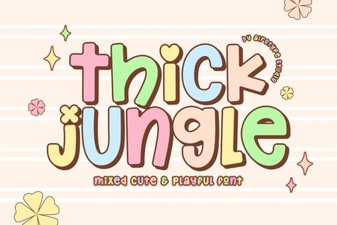 Craft Projects with the Thick Jungle Font Style
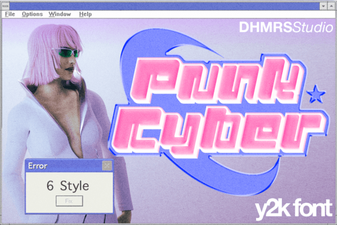 Punk Cyber Font: Design & Download Guide
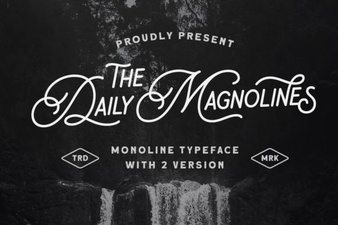 Daily Magnolines Font for Creative Projects
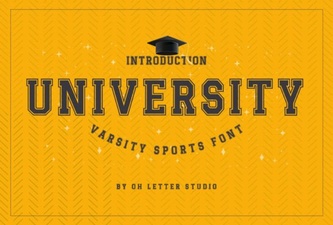 Branding Your Campus: University Font Design Guide
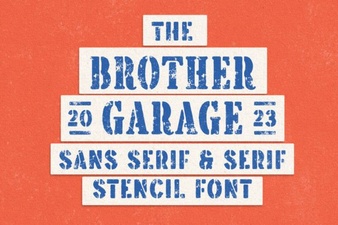 The Brother Garage Font for Creative Diy Projects
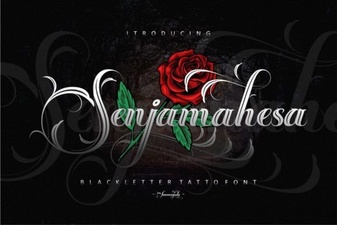 Senjamahesa Font: Elegant Typography for Your Designs